
(Blog) [Inventory Management · ERP · Enterprise Software · Dubai · UAE]
Inventory Management Software vs ERP: What Does Your Business Need?
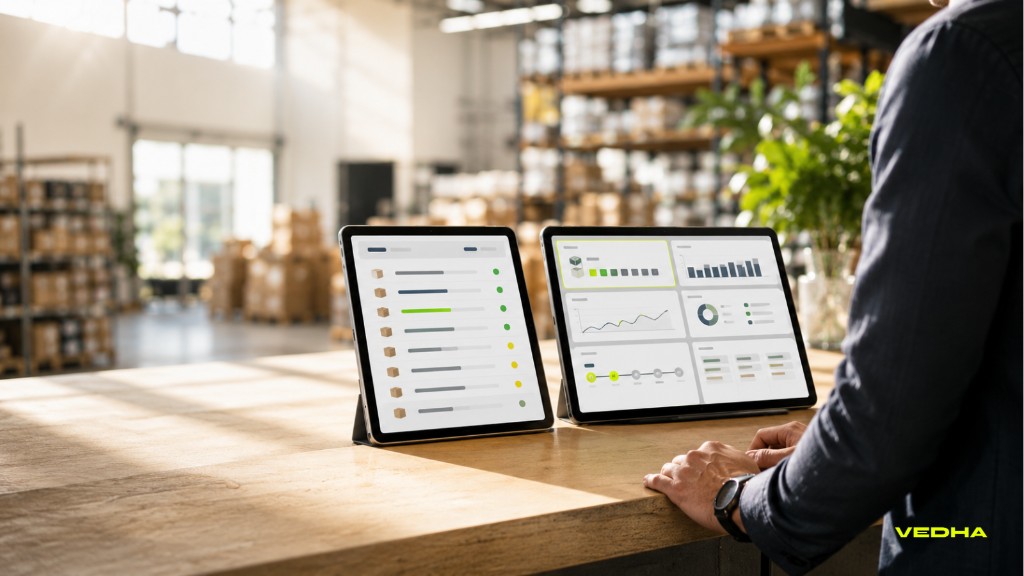
Choosing between inventory management software and ERP affects far more than stock control. It determines how reliably your business manages purchasing, sales, fulfilment, finance, reporting, and growth across locations.
For retailers, distributors, manufacturers, and multi-branch businesses in Dubai and the UAE, the right approach depends on where complexity sits today. You may need clearer inventory visibility and replenishment controls, a connected system for core departments, or a tailored solution that integrates with the tools your teams already use.
Quick answer: Choose inventory management software when stock visibility, movement control, replenishment, and location-level accuracy are the priority. Choose ERP when inventory must connect with finance, purchasing, sales, reporting, and wider operations. A custom or integrated approach can suit businesses that need stronger stock control without replacing every existing system.
What each system manages
An inventory management system focuses on how stock is received, stored, moved, counted, sold, and replenished. It is usually the operational system for product records, stock levels, warehouse or branch locations, transfers, purchase orders, returns, and stock reporting.
An ERP system may include inventory management, but extends into wider business processes. It can connect stock activity with finance, purchasing, sales, suppliers, customers, projects, approvals, reporting, and, where needed, manufacturing or production planning.
| Business area | Inventory management software | ERP system |
|---|---|---|
| Stock levels and locations | Core capability | Usually managed through an inventory module |
| Transfers, returns, and stock counts | Core capability | Typically available and linked to wider processes |
| Purchase orders and replenishment | Often included | Connected to procurement, approvals, and finance |
| Barcode, batch, serial, and expiry tracking | Common in specialist systems | Available where the ERP supports the required module |
| POS and eCommerce | Usually connected through integrations | May be managed or integrated within the wider platform |
| Accounting and finance | Usually integrates with an accounting system | A core function or tightly connected module |
| Supplier and procurement management | Basic to moderate | Broader workflow, approval, and reporting capabilities |
| Manufacturing or production | Limited in most standalone tools | Often supported through relevant ERP modules |
| Business-wide reporting | Stock-focused | Cross-functional reporting and governance |
Features vary between platforms. The key question is not whether a system has a long feature list, but which information needs to be connected for your teams to make reliable decisions.
When inventory management software is enough
A dedicated inventory solution can be the right choice when stock control is the primary issue and your wider business systems are already fit for purpose.
You need reliable stock visibility across locations: If your immediate priority is tracking stock by branch, warehouse, store, or storage location, inventory management software can provide central visibility, controlled transfers, stock counts, returns, adjustments, and movement history. This is especially useful for multi-branch retailers, distributors, and eCommerce businesses.
Your finance, POS, and sales systems already work well: If you are satisfied with your accounting, POS, CRM, or eCommerce platforms, but stock information is fragmented, a dedicated inventory system may close the gap without replacing every application. It should integrate cleanly with the systems that need stock, product, order, or purchasing data.
You want a focused implementation: A narrower project can be easier to phase, particularly where the first requirement is better stock accuracy, barcode scanning, reorder controls, or reporting. It still requires clear product data, workflows, user ownership, and integration planning.
Your operational model is stock-led rather than enterprise-wide: Businesses that do not yet need tightly connected finance, procurement, multi-entity reporting, complex approval structures, or production planning may gain more value from a purpose-built inventory solution.
When ERP is the better fit
ERP is often the better option when inventory decisions affect several functions and those teams need to work from a connected view of the business.
Inventory, finance, purchasing, and sales need shared data: ERP is valuable when stock receipts, sales orders, purchase commitments, cost of goods, payments, and financial reporting need to align. If teams regularly reconcile spreadsheets or receive conflicting figures from different systems, an ERP programme may reduce those gaps.
Your operations are becoming more complex: Multiple branches, warehouses, entities, currencies, product lines, sales channels, approval levels, or reporting requirements can make separate tools difficult to manage. ERP provides a more structured foundation for business growth when processes need to remain connected.
You need stronger governance and reporting: Role-based access, approval workflows, audit trails, master-data controls, and cross-functional dashboards are important when management needs a reliable view of operational and financial performance. ERP can support these controls, provided processes and user adoption are managed well.
You run complex retail, distribution, or manufacturing workflows: Retailers may need connected POS, eCommerce, purchasing, inventory, supplier, and finance data. Distributors may require stronger order, warehouse, purchasing, and financial control. Manufacturers may also need bill of materials, production planning, traceability, and raw-material or finished-goods visibility.
Do you need inventory software, WMS, or ERP?
Inventory management software, warehouse management systems, and ERP are related, but they solve different problems.
Choose inventory management software for stock control: It answers questions such as: What stock do we have? Where is it located? What has moved? What needs reordering? It focuses on stock records, locations, movements, and replenishment.
Consider a WMS for warehouse execution: A warehouse management system manages detailed warehouse activity, including bin locations, put-away, picking, packing, dispatch, scanning, task allocation, and replenishment. It can be important for businesses with high order volumes, detailed picking processes, or complex storage arrangements.
Choose ERP for connected business operations: ERP connects inventory and warehouse activity with finance, procurement, sales, projects, production, and reporting. It is useful where several departments need a shared view of operational and financial information.
Use an integrated combination where required: Some organisations need one platform, while others need inventory software, WMS capability, and ERP connected through planned integrations. The right architecture depends on how information and goods move through the business.
The hybrid option: Connected inventory software and ERP
The choice does not have to be entirely between a standalone inventory system and a full ERP replacement. Many businesses benefit from a specialist inventory platform connected to accounting, POS, eCommerce, CRM, procurement, logistics, or an existing ERP.
This approach can be appropriate when the business needs sophisticated stock control, barcode workflows, multi-location visibility, or a tailored user experience, while retaining an established finance or ERP environment. It can also support phased modernisation, allowing teams to improve one operational area without disrupting the entire business.
However, integration needs to be designed carefully. Before connecting systems, define which platform owns product records, stock balances, pricing, customers, suppliers, purchase orders, sales orders, and financial data. You also need rules for synchronisation, exception handling, failed integrations, and consolidated reporting. Without this clarity, integration can create duplicate records, delayed updates, and conflicting stock figures.
Vedha can support inventory management systems, ERP consulting, and ERP implementation as separate or connected workstreams.
A practical decision checklist
Use the following questions to guide the decision.
| If this describes your business | Consider starting with |
|---|---|
| Stock accuracy, replenishment, and visibility across branches are the main problems | Dedicated inventory management software |
| POS, eCommerce, accounting, and stock data do not update consistently | Inventory software with planned integrations |
| Finance, purchasing, sales, inventory, and reporting need one shared view | ERP consulting and a broader ERP programme |
| Warehouse picking, packing, bin locations, and dispatch are highly complex | WMS capability, integrated with inventory software or ERP where needed |
| You manage production, batches, raw materials, and finished goods | ERP with suitable inventory and manufacturing capabilities |
| Your workflows and data are unclear | Requirements discovery before selecting a system |
For UAE businesses, avoid selecting software based only on licence cost or the number of features advertised. Consider integration effort, data quality, user training, process changes, implementation support, and the cost of continuing with manual reconciliation.
How Vedha Tech can help
Vedha helps businesses assess whether they need inventory management software, ERP, WMS capability, or a connected combination. We provide consulting to map processes, define requirements, review existing systems, clarify data ownership, and create a practical implementation roadmap.
We also support implementation and custom solutions, including inventory software development, ERP-related development, system integrations, data migration, testing, training, and post-launch improvements. This allows Vedha to support the full journey, from the initial decision through to a working solution that fits your operations.
FAQs about inventory management software and ERP
What is the difference between inventory management software and ERP?
Inventory management software focuses on stock levels, locations, movements, replenishment, and fulfilment. ERP connects inventory with wider functions such as finance, purchasing, sales, reporting, and, where needed, production.
Is ERP better than inventory management software?
Neither is always better. ERP is suitable when several departments need connected processes and data. Inventory software can be a better fit when stock control is the primary requirement and existing finance or sales systems already meet business needs.
Can inventory management software integrate with ERP?
Yes. A dedicated inventory system can integrate with ERP, provided data ownership, synchronisation rules, reporting needs, and exception handling are defined clearly.
Do retailers need ERP or inventory management software?
Retailers may need inventory software when stock visibility, replenishment, multi-store management, POS, and eCommerce synchronisation are the main priorities. ERP becomes more relevant when those activities must connect closely with purchasing, supplier management, finance, approvals, and wider reporting.
Can Vedha build a custom inventory system and integrate it with our ERP?
Yes. Vedha can provide consulting, implementation support, custom inventory management software, ERP-related development, integrations, data migration, testing, and training based on your requirements.
Book a free consultation with Vedha to discuss your inventory management or ERP requirements.