
(Blog) [SOP · Digital Workflows · Automation · UAE · ERP · Operations]
Standard operating procedures in the UAE: Turning SOPs into digital workflows
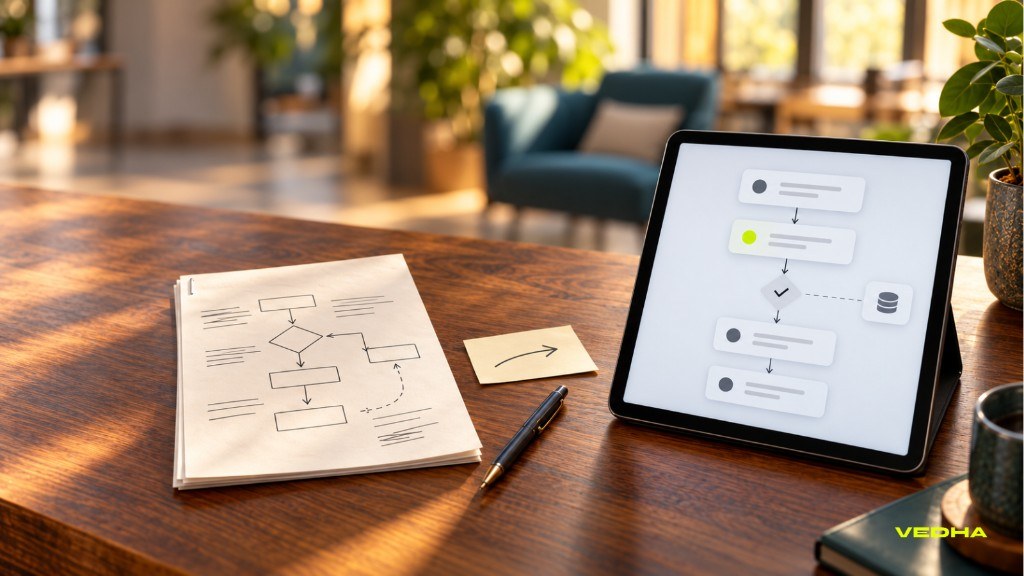
A well-written SOP can improve consistency, but it still depends on someone remembering to follow it. For UAE businesses handling repeated approvals, handovers and system updates, turning standard operating procedures into digital workflows can reduce delays, errors and manual administration.
Quick answer: Digital SOPs make procedures easier to find, update and control, while dynamic workflows execute the process through forms, approvals, notifications and system actions. The strongest approach starts with one frequent, rule-based SOP and connects it to the systems your teams already use.
What is the difference between an SOP document and a digital workflow?
An SOP document tells people what to do, while a digital workflow helps the business carry out those steps. The difference becomes clear when a process moves beyond one team or one system.
| Level | What it does | Example |
|---|---|---|
| Digital SOP | Makes the document easier to find, update and control | Employees search a central SOP library for the current version |
| Digital workflow | Executes the process | A new-hire form triggers tasks, approvals and notifications |
| Dynamic workflow | Adapts the process based on conditions | A high-value purchase request is routed to senior management for approval |
| Connected workflow | Updates business systems automatically | HR, IT, finance and ERP records are updated without manual re-entry |
Digital Standard Operating Procedures improve access and version control, but they still rely on people following the documented steps. A digital workflow goes further by turning those steps into repeatable actions across teams and systems.
Why do UAE businesses outgrow static SOPs?
Static SOPs become difficult to manage when a process involves several teams, approvals or business systems. What starts as a useful checklist can turn into a collection of emails, spreadsheets and manual follow-ups.
- Version confusion: Employees cannot confirm whether they are using the latest procedure.
- Manual handovers: Work moves between teams by email, WhatsApp or spreadsheets.
- Missed approvals: Requests sit with the wrong person or lack a clear audit trail.
- Repeated data entry: The same information is entered into HR, finance, CRM and ERP systems.
- Limited visibility: Managers cannot see where a request is stuck or why it was delayed.
Digital SOP management can centralise creation, review, approval, distribution and version control. Workflow automation can then turn those documented steps into repeatable actions across HR, ERP, CRM and other systems.
How do you turn an existing SOP into a digital workflow?
UAE businesses can digitise SOPs by mapping each process into structured steps, owners, approvals and system updates. This makes it easier to see which steps should be automated and which should remain with a person.
- Identify the trigger: Define what starts the process, such as a new employee record, purchase request, customer complaint or contract renewal date.
- Map the roles involved: List each team and person involved, along with their task, deadline and escalation route.
- Define the information required: Identify the fields needed to complete the process correctly, such as employee details, request type, department, budget or approval status.
- Separate decisions from routine actions: Automate standard steps, but keep human approval where judgement, compliance or sensitive decisions are involved.
- Connect the systems that need updating: A connected workflow can update ERP, CRM, HR, finance or IT systems automatically.
- Plan for exceptions: Define what happens when information is missing, an approval is rejected or a request needs special access.
- Define reporting and audit trails: Track completion time, bottlenecks, approval delays, exceptions and compliance status.
Where does automation help?
Automation helps when an SOP includes repeated steps, clear rules and predictable handoffs. Dynamic workflows can adapt to request type, department, approval value and exceptions, while keeping the right people involved at the right time.
For example, a procurement SOP can become an automated workflow that starts with a purchase request, routes it for approval, creates a purchase order and updates the relevant ERP or inventory record.
Dynamic workflows adapt to request type, department, approval value and exceptions, rather than following one fixed path.
What does an SOP-to-workflow conversion look like?
An employee-onboarding SOP can become a connected workflow that starts when HR records a new hire.
Before: static SOP
HR sends a checklist by email. The manager requests equipment. IT creates accounts manually. Finance is informed separately. Training is scheduled through another spreadsheet.
The process works, but it depends on people remembering each step.
After: digital workflow
When HR adds the new employee, the workflow can:
- Create an onboarding record.
- Send policy acknowledgements.
- Request manager approval for role-based access.
- Create an IT provisioning task.
- Request equipment from facilities.
- Assign induction and role-specific training.
- Notify the line manager.
- Update the HR and payroll systems.
- Track completion and flag overdue tasks.
How do AI SOP assistants work?
An AI SOP assistant helps employees find the right procedure, policy or instruction without searching through folders or PDFs. Instead of asking a colleague where to look, an employee can ask a question and receive a source-linked answer.
- Ask a question: An employee asks, “What is the approval process for a new supplier?”
- Retrieve approved content: The assistant searches the relevant SOP, policy or manual.
- Provide a source-linked answer: It explains the steps and links to the source document.
- Escalate when needed: It directs sensitive, unclear or high-risk cases to the process owner.
This is particularly useful for frontline teams, operations staff, HR, finance and technical support teams. RAG systems can connect an AI assistant to approved SOPs, policies, manuals and knowledge bases. See Vedha’s guide to enterprise RAG search for the underlying approach.
How do you choose the right digital workflow approach?
Choose the approach based on process complexity, systems involved and the level of control required. A simple process may only need a central SOP library, while a multi-team process may need approvals, integrations and reporting.
| Business need | Suitable approach |
|---|---|
| Simple checklist and document control | Digital SOP library |
| Recurring approvals and task routing | Workflow automation |
| HR, IT and payroll coordination | Connected onboarding workflow |
| ERP, CRM or finance updates | API-based system integration |
| Legacy software without APIs | RPA or hybrid automation |
| Sensitive or regulated process | Human approvals and audit controls |
Start with one high-frequency process. Define the current steps, owners, systems and exceptions before building automated workflows.
How Vedha helps
Vedha helps UAE businesses turn documented SOPs into digital workflows that connect people, approvals and business systems. This can include process mapping, workflow design, custom portals, CRM and ERP integrations, HR and finance automation, reporting and ongoing support.
The right option may be a digital SOP library, a workflow automation platform or a connected custom system. Vedha scopes the solution around the existing process, systems and growth plans.
Book a consultation with Vedha to discuss turning an SOP into a digital workflow.
FAQs about SOPs and digital workflows
Can an existing SOP be automated?
Yes. Start by mapping the trigger, roles, information, approvals, systems and exceptions in the SOP. Then identify which steps can be automated and which should remain with a person.
What systems can a digital workflow connect to?
A workflow can connect to HR, CRM, ERP, finance, IT, payroll, procurement and document management systems. The integration approach depends on whether the systems offer APIs, connectors or require another integration method.
How much does SOP workflow automation cost in the UAE?
The cost depends on the number of workflows, users, approvals, integrations and custom features. A simple digital SOP system costs less than a connected workflow that updates ERP, CRM, HR and finance systems.
How long does it take to automate an SOP?
A simple workflow can be delivered in days or weeks, while a complex process involving several systems, approvals and data migration may take longer. Data readiness, process clarity and integration complexity affect the timeline.
Should every SOP be automated?
No. Digitise SOPs that are frequent, rule-based and create measurable delays, errors or manual effort. Keep human review where judgement, compliance or sensitive decisions are involved.